Skip the bookkeeping while reading,
capsize while writing
The biggest waste in literature research is re-reading everything just to find where that one sentence came from. CiteDebt shrinks the bookkeeping cost to a single keystroke.
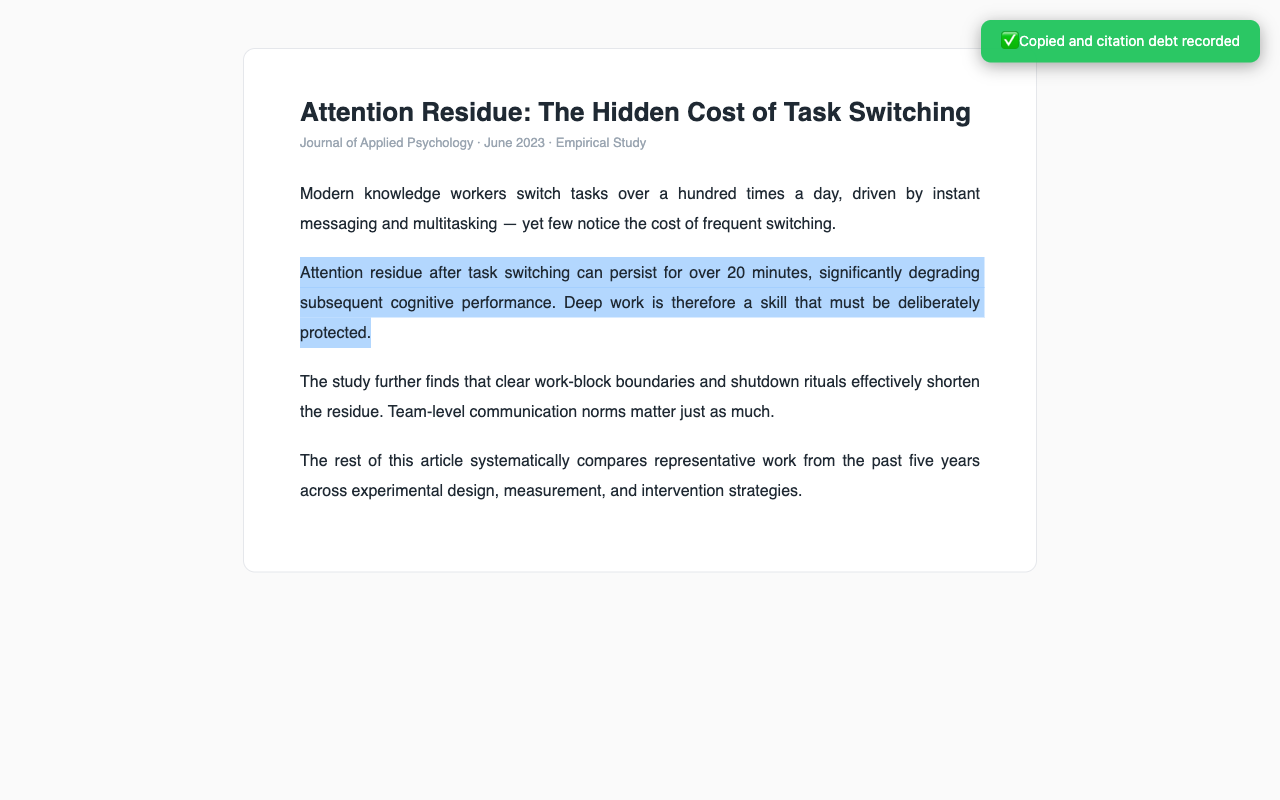
Select to capture
Select text on any page, press ⌥⇧C or right-click "Save a citation debt". The excerpt goes to your clipboard, the source is filed — zero interruption to your reading flow.
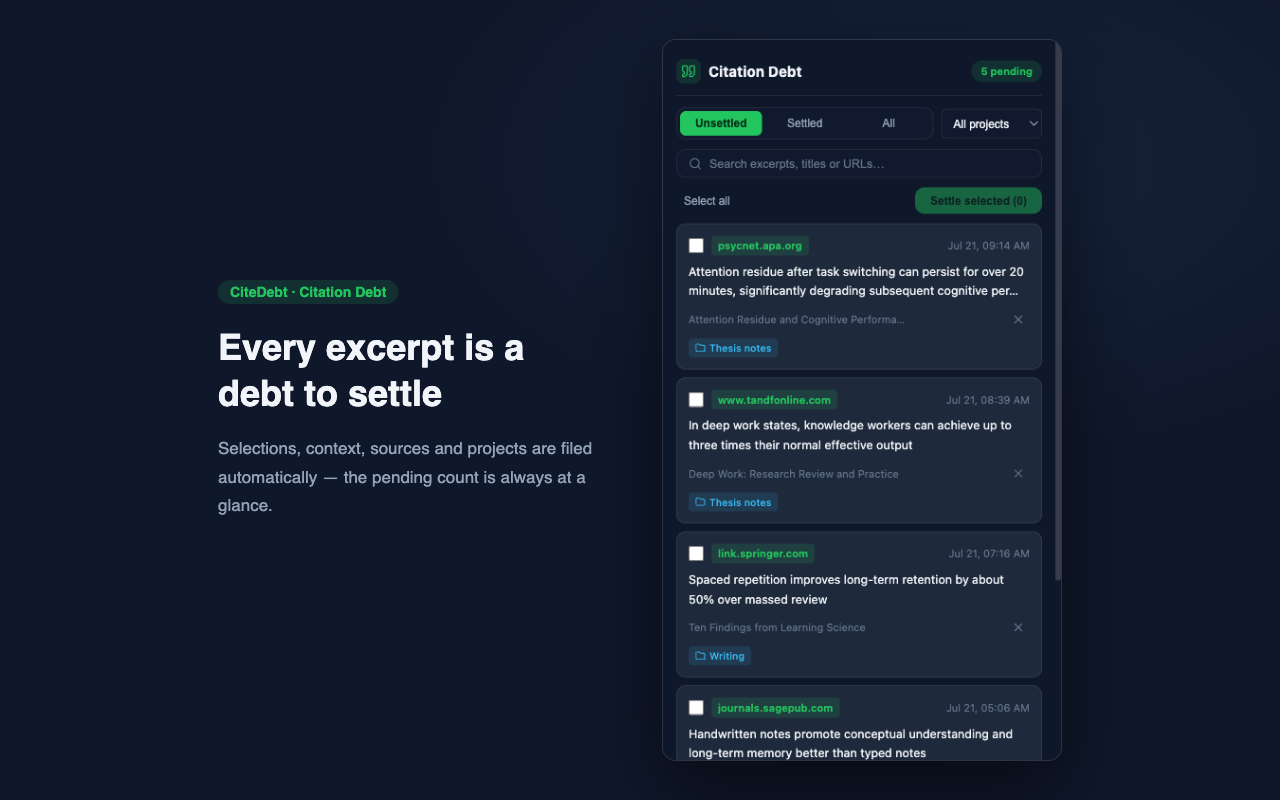
Debts file themselves
Each debt records the selection, up to 160 characters of context on either side, page title, URL, timestamp and project. Filter by status, project or keyword in the side panel anytime.
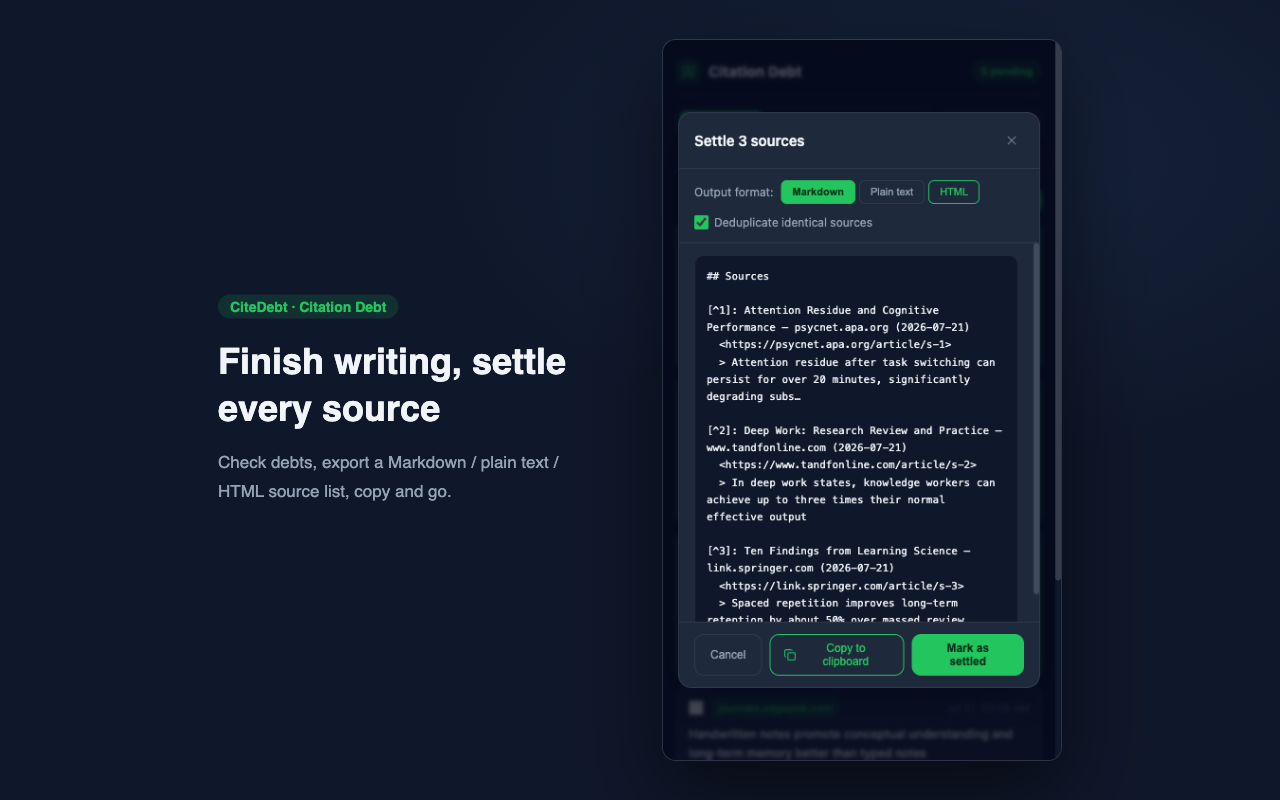
Settle when you finish
Check your debts, export a Markdown / plain text / HTML source list with automatic deduplication. Paste it into your paper — debts settled.
A dark interface designed for long reading hours
From capture to settlement, every step happens quietly at the edge of your browser.
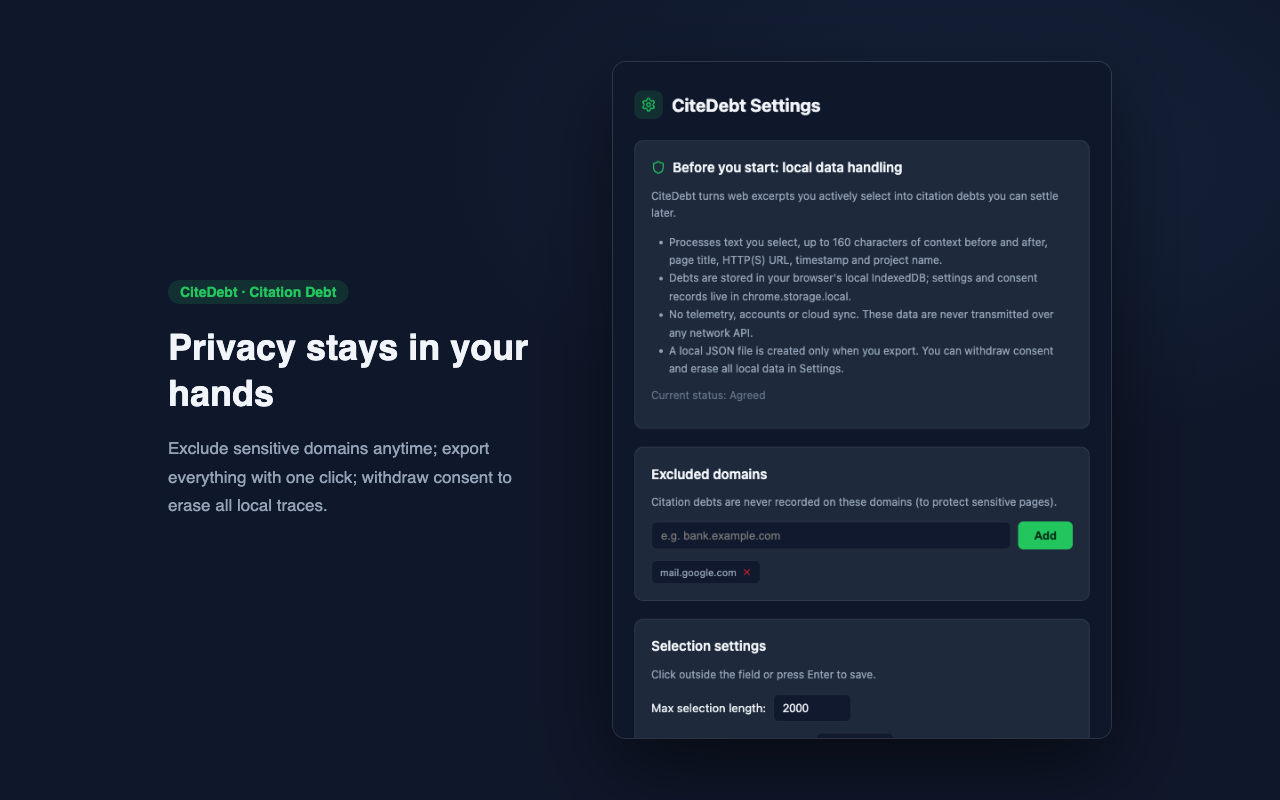
Privacy is not a feature — it's the architecture
CiteDebt was designed from day one so that data never leaves your browser — especially important when working with unpublished manuscripts and internal material.
The next great sentence —
never lose its source again
Free · Local · Two minutes to get started
Install from the Chrome Web StorePrivacy Policy
What data we process
CiteDebt processes the following data only when you actively trigger a capture (shortcut or context menu):
- The web page text you actively select (plain-text excerpt);
- Up to 160 characters of context before and after the selection;
- The page title and HTTP(S) URL;
- The capture timestamp and the project name you assign.
If a selection appears to contain sensitive information such as ID numbers, bank card numbers, phone numbers or email addresses, the extension asks for your confirmation before recording it.
Where data is stored
- Debt data is stored in your browser's local IndexedDB;
- Settings and privacy consent records are stored in chrome.storage.local;
- No data ever leaves your device.
Is data ever transmitted?
No. CiteDebt requests no host permissions, and the extension pages' content security policy includes connect-src 'none', which technically prevents any network request. There is no account system, cloud sync, telemetry, analytics, advertising or remote code. Neither the developer nor any third party ever receives your data.
How permissions are used
- activeTab / scripting: only when you actively trigger a capture, a one-shot function is injected into the current tab to read the selection and limited context;
- clipboardWrite: writes the plain text you already selected to the clipboard; if writing fails, no debt is recorded;
- contextMenus: provides the "Save a citation debt" right-click entry;
- storage / sidePanel / alarms: stores local settings and consent records, shows the debt queue, and recomputes the expiry badge locally.
Export, import and deletion
- You can export all data as a JSON file from the Settings page at any time (initiated by you, saved where you choose);
- Import only accepts JSON files you choose yourself;
- Clicking "Withdraw consent & erase data" in Settings, after confirmation, permanently deletes all debts, settings and consent records from your device;
- You can add sensitive domains to an exclusion list in Settings; no debts are recorded on those pages.
Children's privacy
CiteDebt is not directed at children under 13, and we do not knowingly collect data from children.
Changes to this policy
If this policy changes, the effective date on this page will be updated. Because the extension makes no network communication, changes cannot retroactively affect data already stored on your device.
Contact
If you have questions about this policy or how the extension handles data, please open an issue on the project repository: github.com/mintandkiwi/citedebt-site.